
What Is B2B SaaS? Business Models, Costs and Examples
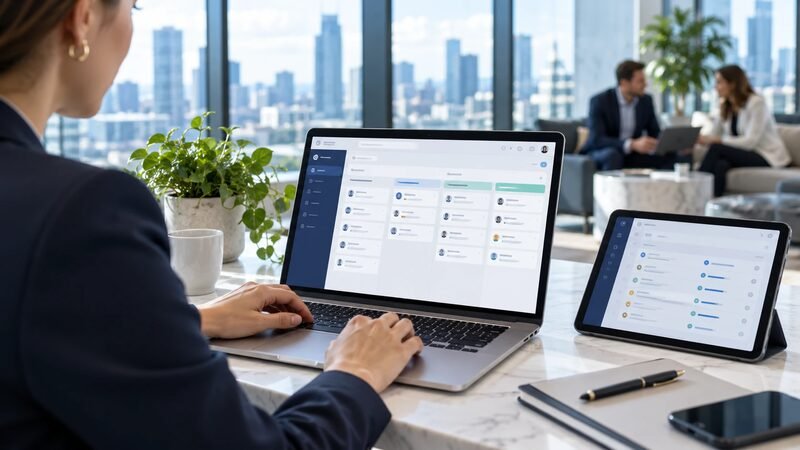
B2B SaaS means business-to-business software as a service. A provider delivers an application online for organizations to use. Customers typically pay through subscriptions, usage charges, or a combination. The provider operates the application service, while the customer manages its users, business data, and configuration.
A sales team using an online CRM is one example. Other examples include cloud collaboration tools, support platforms, and project-management applications.
Buying access can remove some technical operating work. It does not remove the work of choosing, configuring, and managing the application.
For a business buyer, the decision has three parts. Does the software support the required workflow? Can the team operate it responsibly? Does the contract fit expected use?
What Makes Software B2B SaaS?
Two characteristics define B2B SaaS. The customer is a business, and the provider delivers the application service. The software supports organizational work rather than primarily personal consumption. Employees usually access it through browsers, applications, or integrations. Delivery and responsibility distinguish SaaS from simply renting a server.
Under the NIST cloud-service definition, SaaS customers use applications operating on cloud infrastructure. They generally do not manage the underlying infrastructure or operating systems.
That definition concerns delivery, not a particular payment schedule. An annual contract can still cover SaaS. A subscription for locally operated software does not automatically qualify.
The business-to-business label concerns the buyer. One vendor can sell individual plans and business plans under the same brand.
Use these questions to classify an offering:
- Does an organization buy it for business work?
- Does the provider operate the application service?
- Do users access the service rather than operate its underlying servers?
- Which configuration and access responsibilities remain with the customer?
Read the actual service description. Marketing labels can hide differences between a hosted application and a fully managed service.
What Are Some B2B SaaS Examples?
B2B SaaS covers many application categories. A business might buy separate tools for customer records, communication, project tracking, and reporting. The examples below illustrate those categories. They do not rank products or imply that every plan includes the same capabilities.
| Business task | Example | Typical evaluation question |
|---|---|---|
| Organize customer relationships | HubSpot CRM | Can staff maintain useful contact and deal records? |
| Coordinate team communication | Slack | Can teams find conversations and manage access? |
| Track work and issues | Jira Cloud | Can teams define statuses, owners, and permissions? |
| Run connected business processes | Cloud ERP applications | Can departments share reliable transaction records? |
HubSpot provides a CRM for customer and deal management. A buyer should check the required features against the proposed edition before choosing it.
Slack illustrates team communication software. Jira Cloud illustrates work tracking. Their suitability depends on the team's workflow, administration needs, and existing applications.
Cloud ERP illustrates a broader application category. ERP describes the business processes a system supports; SaaS describes how a provider delivers software.
The categories can overlap within a vendor's product range. Buying one application does not necessarily provide every connected function or integration.
How Does SaaS Differ from IaaS and PaaS?
SaaS delivers an application that a business can use. Infrastructure and platform services provide more of the building blocks for running software. The difference concerns which work the customer retains. A company can use all three models for different requirements.
The SaaS delivery model places application operation with the service provider. Customer teams focus more on configuration, access, and how employees use the application.
Compare the models through the task you want to complete:
| Model | What the customer obtains | Example customer responsibility |
|---|---|---|
| SaaS | Access to an application service | Configure business workflows and user roles |
| PaaS | An environment for building or running applications | Develop and maintain application code |
| IaaS | Infrastructure resources | Manage operating systems and deployed software |
The exact responsibility boundary varies by service. Review the agreement and operating documentation rather than assuming the label settles every question.
An online support application can qualify as SaaS. A virtual server that your engineers configure to run support software involves different responsibilities.
That distinction affects staffing and support. Someone must still own the work, even when a vendor performs it.
Who Buys, Uses, and Manages the Application?
The buyer, user, and administrator often have different requirements. The budget owner approves spending, while employees depend on the application daily. Administrators manage configuration and access. A useful evaluation includes all three perspectives before the business commits to a plan.
A sales manager might approve a CRM. Representatives enter customer activity, while an operations specialist maintains fields and permissions.
Those roles should agree on the intended outcome. More available features do not prove that employees can complete their tasks faster or more accurately.
Give each role specific questions:
- Budget owner: What result justifies the total cost?
- Daily user: Which steps become easier or harder?
- Administrator: Who maintains permissions, integrations, and configuration?
- Security reviewer: What information enters the service, and who can access it?
- Contract owner: What happens at renewal or cancellation?
An Enterprise CRM upgrade adds another decision layer. Confirm that the organization can operate the added capabilities before paying for them.
What Does a SaaS Rollout Look Like?
A rollout should prove that employees can complete a defined task with appropriate controls. Begin with a limited scope, realistic records, and an accountable owner. Include exceptions that disrupt daily work. A successful login demonstrates access, but it does not demonstrate an effective process.
Consider a fictional support team replacing a shared inbox. The following scenario illustrates evaluation steps rather than a customer case study.
Define One Workflow Before Configuring Everything
The team wants every incoming request to have an owner. Its pilot covers one support queue and ten employees. The manager chooses examples that represent routine work and common exceptions.
Those examples include a duplicate request and a conversation requiring another department. Another example contains information that only authorized employees should see.
The team records these acceptance checks:
- A new request reaches the correct queue.
- An employee can assign ownership without creating a duplicate.
- A colleague can continue the conversation with its history intact.
- Restricted users cannot access protected records.
- The administrator can export the records needed for continuity.
Each check has an owner and a recorded result. The pilot can then identify configuration gaps before wider adoption.
Test the Handoffs and Exceptions
A support tool may work well until a request reaches another team. Test that handoff instead of assuming the integration will handle it.
For example, billing staff may need an account reference but not the entire support conversation. Decide which data should move and which application owns the reference.
Also test what happens when the connection fails. Someone needs an alert, a recovery process, and a way to detect duplicate actions.
After the pilot, review both successful and failed cases. A product demonstration cannot replace evidence from your own configuration and operating requirements.
How Do B2B SaaS Companies Charge Customers?
SaaS pricing can follow users, usage, features, or combinations of those measures. The billing unit determines what increases the invoice. Contract terms determine when the customer can change the commitment. Compare both before translating a headline monthly price into an annual budget.
Common pricing structures include these approaches:
- Per user: The charge depends on billable seats or users.
- Tiered plans: Different editions include different capabilities and limits.
- Usage based: Charges follow a measured activity or resource.
- Combined pricing: A base subscription includes allowances, followed by additional charges.
Ask how the vendor defines each billable unit. An employee with occasional access may count differently across products.
A monthly price can accompany an annual commitment. Confirm billing frequency, contract duration, seat reductions, and cancellation conditions separately.
Industry SaaS revenue and adoption statistics describe market activity. They cannot tell you which billing model fits your workflow.
How Can Buyers Estimate the Real Cost?
Estimate the subscription alongside setup, internal administration, and likely changes in use. Separate cash payments from employee time so the budget stays understandable. Use scenarios rather than one optimistic number. The following fictional calculation demonstrates the method without quoting a vendor's prices.
Assume a tool charges $30 per user each month. The business needs 25 users throughout the first year. It also budgets $2,000 for external setup work.
The initial cash estimate looks like this:
Chart
How Can Buyers Estimate the Real Cost?
- Illustrative amount
- Annual subscription
- External setup
- First-year cash subtotal
| Item | Calculation | Illustrative amount |
|---|---|---|
| Annual subscription | 25 users × $30 × 12 months | $9,000 |
| External setup | Assumed one-time cost | $2,000 |
| First-year cash subtotal | Subscription plus setup | $11,000 |
This subtotal excludes taxes, usage charges, and additional services. It also excludes employee time, which belongs in the broader operating estimate.
Now assume ten users join for the final six months. At the same illustrative rate, those seats add $1,800. Actual charges depend on the contract's billing and commitment rules.
Document the assumptions behind the calculation. Include the user count, billing unit, required edition, and expected usage.
Then test a second scenario with higher activity. The exercise reveals which variable creates the largest budget risk.
What Security Work Remains with the Customer?
Customers still need to control access, configuration, and the information they place in SaaS applications. Provider-managed infrastructure does not decide which employees should see confidential records. Assign owners for those decisions. Review them when roles, integrations, and business requirements change.
Begin with the employee lifecycle. New starters need appropriate access, and departing employees should lose it promptly. Role changes can require permission changes even when someone remains employed.
Consistent identity management across the employee lifecycle helps connect those events to application access. A spreadsheet of accounts can become difficult to maintain across many tools.
Check these operational details before approval:
- Who can create users and assign administrative roles?
- Which authentication controls does the selected plan support?
- How do integration credentials receive and lose access?
- Which records can employees export or share externally?
- Who reviews logs and investigates unusual activity?
- What recovery and data-export options does the agreement provide?
Avoid treating a vendor's security statement as a complete answer. Match the controls and contractual commitments to your data and workflow.
What Should Happen Before Renewal?
Renewal should compare the subscription with current use and future requirements. Check active users, essential integrations, and the work employees complete. Review upcoming price or feature changes. Keep enough time to assess alternatives before any contractual notice deadline.
Start with the original reason for buying. If the goal involved request ownership, examine whether the support queue still produces unassigned work.
Then inspect the subscription itself. Identify unused seats, duplicate tools, and features that nobody maintains.
Prepare the exit questions before they become urgent. Determine how records, attachments, and relationships would transfer elsewhere. Test a sample export rather than assuming every field survives.
Keeping the service can be the right decision. The purpose is to make that decision with current evidence. Vendors read the same signals from the other side through churn rate analysis.
Frequently Asked Questions
What Is the Difference Between B2B SaaS and B2C SaaS?
B2B SaaS serves organizational customers, while B2C SaaS primarily serves individual consumers. Some providers offer both business and consumer plans.
Is Every Subscription Application SaaS?
No, subscription describes a payment arrangement. SaaS describes how a provider delivers and operates an application service.
Can an ERP System Be B2B SaaS?
Yes, a provider can deliver an ERP application as a SaaS service. ERP describes functionality, while SaaS describes delivery.
Does SaaS Eliminate the Need for Administrators?
No, customer teams still need owners for access, configuration, and integrations. The provider's operating responsibilities do not replace those business decisions.
Choose one workflow and define what successful use would look like. Compare products against that requirement, then test the permissions, costs, and exit process. A subscription earns its place when the team can use and manage it effectively.
Resources
Product references for the examples include Slack's collaboration features and Jira's work-tracking capabilities. Review the current edition and deployment details before using either in a shortlist.