Virtual Machine for Mac: 7 Options for Windows, Linux, and Testing
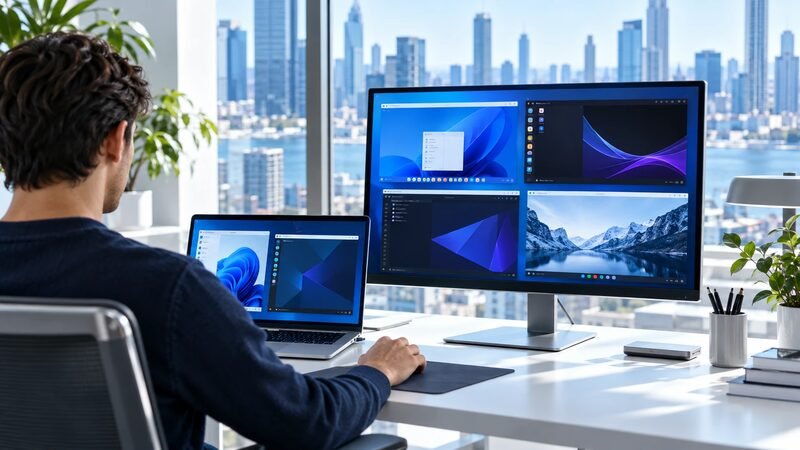
The right virtual machine for Mac depends on the guest operating system and the Mac's processor. Parallels Desktop offers the clearest paid route to Windows 11 on Apple silicon. VMware Fusion provides a free general-purpose alternative.
UTM adds flexible virtualization and emulation. VirtualBox provides a familiar cross-platform interface with narrower Apple silicon guest support. OrbStack and Multipass focus on developer workloads. Tart targets macOS and Linux automation.
Choose the workload before choosing the product. Windows applications, Linux development, macOS testing, and continuous integration need different capabilities.
This comparison uses official documentation checked on October 25, 2026. It covers documented support and operating fit without claiming benchmark testing.
What Should You Check Before Choosing a Mac Virtual Machine?
Check the Mac processor, required guest system, application architecture, graphics needs, peripherals, licensing, and support expectations. Apple silicon changes the shortlist because Arm guests virtualize directly, while x86 guests may require emulation.
Start with these questions:
- Does the Mac use Apple silicon or an Intel processor?
- Must the guest run Windows, Linux, or macOS?
- Does the required application support Windows on Arm?
- Does the workload need DirectX, USB hardware, or nested virtualization?
- Will the organization require vendor support?
- Can the host spare enough memory and storage?
- Does the guest need access to sensitive host folders?
Answer these questions before downloading a large disk image. A quick compatibility check can prevent an unusable deployment.
How Large Is the Mac Developer Audience?
Mac virtualization serves a meaningful developer audience, although survey data does not equal software demand. The 2025 Stack Overflow survey recorded 31,569 answers to its operating-system question.
Within that survey, macOS represented 32.9% of professional use. Windows represented 49.5%. Respondents could select more than one system, so the shares overlap.
The figures describe Stack Overflow respondents, not every developer or business. They still show why cross-platform testing and local Linux environments remain relevant.
Broader cloud computing statistics provide deployment context. Local VMs remain distinct from paid cloud instances, even when both support similar development workflows.
Why Does Apple Silicon Change Virtualization?
Apple silicon Macs use Arm processors. Hardware virtualization works best when the guest and host share the same processor architecture.
An Arm version of Windows or Linux can therefore run through supported virtualization interfaces. An x86 operating system needs translation or emulation, which can reduce performance and compatibility.
Apple's Boot Camp documentation applies to Intel-based Macs. The current Boot Camp requirements exclude Apple silicon models.
That distinction affects software procurement. An Intel Mac can dual-boot supported Windows installations, while Apple silicon requires another approach.
Microsoft recognizes specific Parallels versions as authorized Windows 11 Arm solutions on named Apple chips. Its published Mac options page also documents important limitations.
Those limitations include some DirectX 12 dependencies and nested virtualization scenarios. Microsoft also requires a separate Windows 11 Pro license for each virtual instance.
The page names Parallels Desktop 18, 19, and 20 and M1 through M3 processors. Buyers using newer versions or processors should confirm the current supported combination.
Compare Seven Virtual Machine Options for Mac
The table separates general desktop virtualization from specialized developer tools. A specialized option may be excellent within its narrower workload.
Diagram
Compare Seven Virtual Machine Options for Mac
- Parallels Desktop
- VMware Fusion
- UTM
- Oracle VirtualBox
- OrbStack
- Multipass
- Tart
| Product | Best evaluation use | Supported guest focus | Current cost position | Main constraint |
|---|---|---|---|---|
| Parallels Desktop | Windows applications on Mac | Windows 11 Arm, Linux, macOS | Standard lists $99.99 yearly before promotions | Paid license plus Windows license |
| VMware Fusion | General desktop virtualization | Windows Arm, Linux, other supported guests | Free for commercial, educational, and personal use | Community and documentation support for free users |
| UTM | Flexible virtualization and emulation | Windows, Linux, macOS, several architectures | Free from GitHub; paid App Store distribution | Emulated x86 guests can run slowly |
| Oracle VirtualBox | Familiar cross-platform VM management | Selected Arm guests on Apple silicon | Free base package | Apple silicon guest support remains narrower |
| OrbStack | Containers and Linux development | Linux machines and containers | Free personal use; $8 per user monthly commercial | No Windows or macOS guests |
| Multipass | Fast Ubuntu development environments | Ubuntu | Free | Narrower than a general desktop VM platform |
| Tart | macOS and Linux CI automation | macOS and Linux on Apple silicon | Free within license limits | Command-line, automation-centered workflow |
Prices exclude guest operating-system licenses, support contracts, taxes, and optional services. Verify commercial-use terms before deployment.
Which Mac Virtualization Product Fits Each Workload?
Match the product to one representative workload. Testing the same workload across two candidates produces a useful comparison.
1. Parallels Desktop: Windows Applications
Parallels Desktop focuses on running Windows alongside macOS. Its guided setup targets users who need Windows applications without managing a complex VM.
The current Standard list price shows $99.99 yearly before promotional discounts. Pro and Business editions cost more and add capabilities for demanding users or managed deployments.
Apple silicon uses Windows 11 on Arm rather than the x64 edition. Many x86 and x64 applications can run through Windows translation, but compatibility is not universal.
Check specialist drivers, games, security products, engineering tools, and hardware integrations individually. A product's Windows support does not prove every Windows application will work.
Evaluate Parallels when a supported Windows application and smooth desktop integration lead the requirements. Include the separate Windows license in the budget.
2. VMware Fusion: Free General-Purpose Virtualization
Broadcom made VMware Fusion Pro free for commercial, educational, and personal users in November 2024. A license key is no longer required for the free version.
The change makes Fusion a strong evaluation candidate for Windows and Linux guests. Free users should expect documentation and community resources instead of paid support entitlements.
Compatibility still depends on the Mac architecture and guest image. An Apple silicon Mac requires supported Arm guest systems for normal virtualization.
Evaluate Fusion when a free general-purpose hypervisor fits the workload. Test networking, shared folders, graphics, snapshots, and external devices before standardizing.
3. UTM: Virtualization and Emulation
UTM combines QEMU with Apple's virtualization technologies. It can virtualize matching architectures and emulate different processor architectures.
On Apple silicon, Arm guests can run through virtualization. An x86 guest instead uses emulation and may perform substantially slower.
UTM is free through its GitHub distribution. The paid Mac App Store version supports development and offers the same core features.
Evaluate UTM when unusual guest architectures or open-source tooling lead the requirements. Do not assume an emulated x86 workload will match native virtualization performance.
4. Oracle VirtualBox: Familiar Cross-Platform Management
Oracle VirtualBox 7.2 provides packages for Intel and Apple silicon Mac hosts. The product remains a familiar option across Windows, macOS, and Linux.
Its manual describes selected Arm guests on Arm hosts. Available guest types and features remain constrained by the host architecture.
Version 7.2 added Windows 11 Arm guest support and experimental Apple silicon graphics improvements. Experimental features require careful acceptance testing.
Evaluate VirtualBox when teams value one cross-platform management model. Confirm the exact guest, additions, graphics, networking, and support status before committing.
5. OrbStack: Linux Machines and Containers
OrbStack runs Linux machines and Docker-compatible containers on macOS. It is a developer environment rather than a Windows or macOS desktop hypervisor.
The product includes integrated file sharing, networking, and command-line access. Personal noncommercial use is free under current licensing.
Business and commercial use costs $8 per user monthly, billed as $96 yearly. One user can activate up to five primarily operated devices.
Evaluate OrbStack when containers and Linux development define the requirement. Choose another product when Windows applications or macOS guests form the core workload.
This choice also connects with the IaaS versus PaaS responsibility model. A local Linux machine gives developers control while retaining local maintenance work.
6. Multipass: Quick Ubuntu Environments
Canonical Multipass creates Ubuntu virtual machines through a compact command-line workflow. It supports macOS, Windows, and Linux hosts.
Multipass uses cloud-init, making it useful for repeatable local environments. Its images and workflow resemble cloud instances more closely than consumer desktop virtualization.
Canonical distributes Multipass without a product charge. The product focuses on Ubuntu rather than a wide catalog of desktop guests.
Evaluate Multipass for development, testing, and cloud-init experimentation. Teams needing Windows, macOS, or a polished desktop should choose another candidate.
7. Tart: Mac and Linux CI Automation
Tart builds, runs, and manages macOS and Linux virtual machines on Apple silicon. It uses Apple's Virtualization framework and exposes a command-line workflow.
Tart also integrates with Open Container Initiative registries for VM images. That model can suit continuous integration and repeatable testing environments.
The project uses the Fair Source license. Personal installations and limited organizational use remain free, while larger server deployments require licensing review.
Evaluate Tart for macOS continuous integration, reproducible images, or automated Linux environments. It does not target ordinary Windows desktop use.
How Should You Estimate Cost and Capacity?
The application price forms only one cost line. Guest licenses, memory, storage, support, administration, and lost performance can exceed it.
Build the estimate from these components:
- Host Mac cost and usable life.
- Virtualization software license and renewal term.
- Windows or other guest-system licenses.
- Memory and storage required by active VMs.
- Backups for important guest data.
- Support, deployment, and maintenance time.
- Cloud capacity for workloads that outgrow the host.
A 256GB Mac can become constrained after several large guest disks and snapshots. Thin provisioning delays storage use but does not remove the capacity requirement.
Memory also needs headroom. Assigning most host memory to a guest can make macOS and both environments less responsive.
Local virtualization can reduce cloud usage for testing, but it shifts work to the device owner.
How Should You Test a Mac VM?
Use the real application, image, and peripherals during the trial. A successful operating-system boot proves very little about the required workflow.
Run these acceptance checks:
- Install the intended guest from a supported source.
- Activate any required guest license.
- Install the application or development toolchain.
- Test graphics, audio, networking, and external devices.
- Confirm file sharing and clipboard behavior.
- Suspend, resume, and restart the guest repeatedly.
- Create a snapshot and restore a disposable test change.
- Measure storage growth during normal work.
- Export or recreate the VM using documented steps.
Test security boundaries as well. Shared folders and clipboard integration improve convenience but increase data movement between host and guest.
Snapshots do not replace backups. They can help reverse a local change, but they may share failure risks with the VM files.
Document the tested Mac model, processor, memory, macOS version, product version, and guest build. Compatibility can change after major operating-system updates.
Frequently Asked Questions About Mac Virtual Machines
Can an Apple Silicon Mac Run Windows?
Yes, supported products can run Windows 11 on Arm. Application, driver, graphics, and nested-virtualization compatibility can still limit specific workloads.
Is VMware Fusion Free for Business Use?
Yes. Broadcom states that Fusion Pro is free for commercial, educational, and personal use.
Can a Mac VM Run Systems Built for Intel Chips?
Some tools can emulate x86 guests on Apple silicon. Emulation usually carries a performance penalty and does not guarantee application compatibility.
Does Windows Come with Parallels Desktop?
No. The virtualization application and Windows license are separate purchases under current Microsoft requirements.
Is a Snapshot the Same as a Backup?
No. A snapshot records VM state, while a backup should survive loss or corruption of the host storage.
Which Virtual Machine for Mac Is Best for Developers?
Fusion and UTM suit broad testing. OrbStack, Multipass, and Tart fit narrower Linux, container, or continuous-integration workflows.
Choose the Guest and Workload First
Before choosing a virtual machine for Mac, define the guest architecture, required application, support level, and hardware integrations. Then test two products against the same acceptance criteria.
For Windows desktop use, start with Parallels and Fusion. For development, shortlist UTM, OrbStack, Multipass, or Tart around the specific environment.
Resources
- Apple Boot Camp requirements
- Apple Virtualization framework
- Microsoft options for Windows 11 on Apple silicon Macs
- 2025 Stack Overflow Developer Survey operating systems
- Parallels Desktop for Mac
- Parallels system requirements and documentation
- VMware Fusion licensing notice
- UTM product information
- UTM virtualization and emulation documentation
- Oracle VirtualBox downloads
- Oracle VirtualBox 7.2 changelog
- OrbStack pricing
- OrbStack licensing
- Canonical Multipass documentation
- Tart Virtualization
- Tart licensing background